

Recommended Products
Hikvision Exir Fixed Mini Bullet Camera
Hikvision Exir Fixed Mini Bullet Camera
Hikvision Smart Hybrid-light PT Network Camera

Hikvision Smart Hybrid-light PT Network Camera

SMART-31S | ID Card Printer

Interactive Flat Panel
Interactive flat panels are a popular tool used in classrooms and offices to enhance presentations and collaboration. They are essentially large touchscreens that can be used to display multimedia content, annotate documents, and interact with software. Interactive flat panels have become increasingly popular in recent years due to their versatility and ease of use.






Server Networking
Step 1
Locate a gigabit networking switch (a router or hub will also work) in a central location. Remember that each computer will need a network line ran to this location, so make sure that it is practically positioned. Plug an Ethernet network cable into an empty port on the back of the switch for each computer on the network, including the server. Run the cables to each system, making sure that they are run in a location that is out of the way of equipment and pedestrians. Plug the Internet modem’s Ethernet cable into the switch if you want to share that as well.
Step 2
Plug an Ethernet cable into the networking port located on the back of each computer, including the server. To take advantage of the gigabit speeds, each computer will need to have a gigabit-capable networking card. You can check to what kind of card a Windows-based computer has by right-clicking on “My Computer,” clicking “Properties,” then the “Hardware” tab, followed by “Device Manager.” Under “Network Adapters” the card type will be listed. If any of the computers don’t have one of these cards, one can be purchased and easily installed by the average computer user.
Step 3
Run the network configuration tool on each computer. On a Windows-based workstation, this is the Network Setup Wizard, located in the Control Panel. The configuration tool will automatically detect the network and what type of computers are on it. You will be asked questions, such as what name you want to give the network, what name each computer should have, and if you want to share files and printers in addition to an Internet connection. Once the wizard has completed, restart each computer, and the server network is complete.

Totolink S505G 5-Port Gigabit Desktop Ethernet Switch
Shop
Showing 121–144 of 211 results
-
POE Switch, Switch
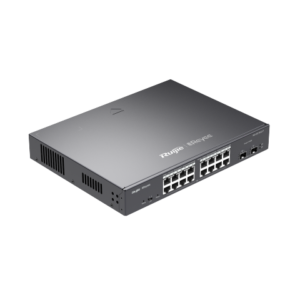
Ruijie Reyee 18-Port Gigabit Cloud Mananged PoE Switch(RG-ES218GC-P)
Highlight Features
- 18-Port gigabit cloud managed switch with 16 PoE+ ports
- Cost-Effective Smart Cloud Managed Switches
- IP Camera Recognition, Unique Value for CCTV Network
- Automatic Loop Prevention Ensures Service Continuity
- Lifetime management on Ruijie Cloud at anytime anywhere
SKU: n/a -
Switch
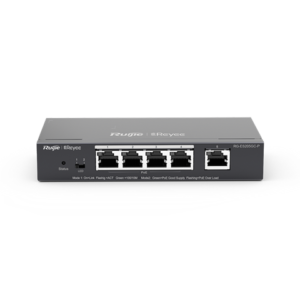
Ruijie Reyee 5-Port Gigabit Cloud Mananged PoE Switch(RG-ES205GC)
Highlight Features
- 5-Port gigabit cloud managed non-PoE switch
- Cost-Effective Smart Cloud Managed Switches
- IP Camera Recognition, Unique Value for CCTV Network
- Automatic Loop Prevention Ensures Service Continuity
- Lifetime management on Ruijie Cloud at anytime anywhere
SKU: n/a -
POE Switch, Switch
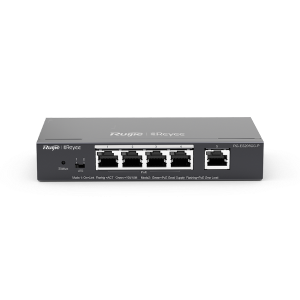
Ruijie Reyee 6-Port Gigabit Cloud Mananged PoE Switch(RG-ES206GC-P)
Highlight Features
- 6-Port gigabit cloud managed switch with 4 PoE+ ports
- Cost-Effective Smart Cloud Managed Switches
- IP Camera Recognition, Unique Value for CCTV Network
- Automatic Loop Prevention Ensures Service Continuity
- Lifetime management on Ruijie Cloud at anytime anywhere
SKU: n/a -
POE Switch, Switch
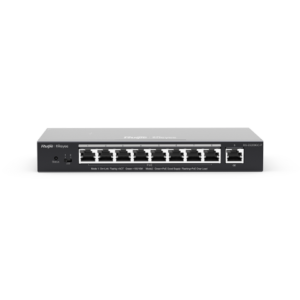
Ruijie Reyee 9-Port Gigabit Cloud Mananged PoE Switch(RG-ES209GC-P)
Highlight Features
- 9-Port gigabit cloud managed switch with 8 PoE+ ports
- Cost-Effective Smart Cloud Managed Switches
- IP Camera Recognition, Unique Value for CCTV Network
- Automatic Loop Prevention Ensures Service Continuity
- Lifetime management on Ruijie Cloud at anytime anywhere
SKU: n/a -
Ruijie
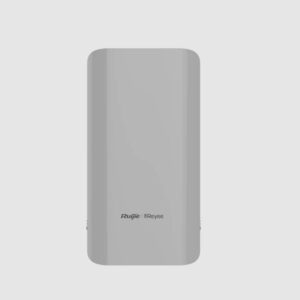
Ruijie Reyee Wireless bridge RG-EST310 V2
Description
Ruijie Reyee Series RG-EST310 V2 is an 802.11ac wireless bridge for video surveillance backhaul or remote wireless transmission in scenarios such as elevators, tower cranes, factories, campuses, and construction sites. Operating at 5GHz, RG-EST310 V2 supports two spatial streams (2×2 MIMO technology) and provides up to 867Mbps throughput, which can fully meet the data link bandwidth requirements of various services.
Highlight Features
- RG-EST310 V2 provide stable traffic transmission from 1KM away.
- Automatic pairing and automatic healing
- IP54 Weatherproof, -30℃~55℃ ensures stable operating
- Cost-effective wireless solution for elevator CCTV to avoid cable loss
SKU: n/a -
Uncategorized
Seagate 500 Gb Harddisk Slim for Laptop Hdd
- 500 GB capacity
- 5400 RPM spin speed, 16 MB cache buffer
- Designed for durability and low-power consumption
- SATA 3GB interface with native command queuing
- Perpendicular recording technology for increased storage capacity
- Fast performance and whisper quiet acoustics
SKU: n/a -
Uncategorized
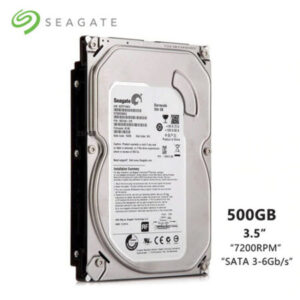
Seagate Skyhawk 1 TB surveillance Harddisk
Capacity: 1 TB Interface: SATA 6 Gb/s Size format: 3.5 “ Cache memory: 64 MB Designed to continuous operation 24/7: 
Weight: 0.392 kg Manufacturer / Brand: SEAGATE Guarantee: 1year Capacity: 1 TB Interface: SATA 6 Gb/s Size format: 3.5 “ Cache memory: 64 MB Designed to continuous operation 24/7: Weight: 0.392 kg Manufacturer / Brand: SEAGATE Guarantee: 1year SKU: n/a -
-
Printer, Uncategorized
Server Networking
Step 1
Locate a gigabit networking switch (a router or hub will also work) in a central location. Remember that each computer will need a network line ran to this location, so make sure that it is practically positioned. Plug an Ethernet network cable into an empty port on the back of the switch for each computer on the network, including the server. Run the cables to each system, making sure that they are run in a location that is out of the way of equipment and pedestrians. Plug the Internet modem’s Ethernet cable into the switch if you want to share that as well.
Step 2
Plug an Ethernet cable into the networking port located on the back of each computer, including the server. To take advantage of the gigabit speeds, each computer will need to have a gigabit-capable networking card. You can check to what kind of card a Windows-based computer has by right-clicking on “My Computer,” clicking “Properties,” then the “Hardware” tab, followed by “Device Manager.” Under “Network Adapters” the card type will be listed. If any of the computers don’t have one of these cards, one can be purchased and easily installed by the average computer user.
Step 3
Run the network configuration tool on each computer. On a Windows-based workstation, this is the Network Setup Wizard, located in the Control Panel. The configuration tool will automatically detect the network and what type of computers are on it. You will be asked questions, such as what name you want to give the network, what name each computer should have, and if you want to share files and printers in addition to an Internet connection. Once the wizard has completed, restart each computer, and the server network is complete.
SKU: n/a -
Printer
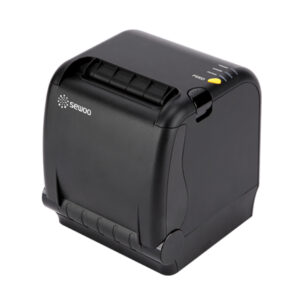
Sewoo SLK-TS400EB 3 INCH Thermal POS Printer
Sewoo SLK-TS400 front loading thermal printer (3″, USB + Serial, 220mm/s)
• Front paper loading
• Front paper exit
• Spillproof function : Superior resistance to spill with a sealed top
• High Speed Printing : 220mm/sec
• ESC/POS command compatible
• Barcode printing capability
• Small and compact
• Available in black
SKU: n/a -
Printer
SMART-31S | ID Card Printer
- Print Method: Dye sublimation / resin thermal transfer.
- Print Speed: Up to 200 cards per hour.
- Print Resolution: 300 x 300 dpi.
- Card Capacity: 100 cards input, 30 cards output.
- Card Types: PVC and compatible cards.
- Card Size: CR80 standard ID card size.
- Connectivity: USB 2.0, optional Ethernet.
- Features: Single-sided printing, automatic feeder, optional encoding.
- Software Compatibility: Windows-based design and printing software.
- Dimensions: 8.6 x 16.7 x 16.5 inches.
- Weight: 6.6 kg (14.5 lbs).
SKU: n/a -
Power Tools
Smtech Electric Blower
Description:
This product is suitable for computer dust effectively prevent desktop and notebook fan blockage; pet hair treatment; clean bed sheets quilt, effectively remove bacteria and dust; cleaning floors, site dust, vacuum compression, vacuuming and so on. Amazing blowing power in a compact, easy to handle size. Easy to switch between vacuum cleaner and blower. Large handle with lockable trigger makes the product safe, convenient and easy to use for everyone. Humanized handle, very effort-saving.
SKU: n/a -
harddiskha
surveillance harddisk 2tb
Storage
Cache Memory: 64 MB
Performance
Interface: SATA III (6 Gb/s)
Sequential Read Speed: 110 MB/s
Sequential Write Speed: 110 MB/s
Physical
Drive Type: HDD
Form Factor: 3.5″
Noise Level: 22.0 dB (Active)
20.0 dB (Idle)
HDD Specs
Spindle Speed (RPM): 5400 – 5900 RPM
Reliability / Data Integrity
Load/Unload Cycles: 300,000SKU: n/a -
-
Uncategorized
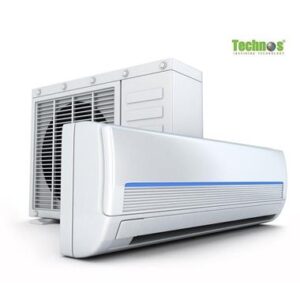
Technos 2 Ton Air Conditioner
- Model : TCN24
- Power : 220-50HZ
- Weight : 13-16Kg
- Color : White
- Remote Controller & Backlight LCD
- High Efficiency & Low Consmption
- Self – Diagonsis Function
- Automatic Fan Controller
- Timer on/Off
- Sleep Function
- Auto Swing Function
- can cool off 901-1200 square feet spaces
SKU: n/a -