

Related products
-
Brother Printer, Printer
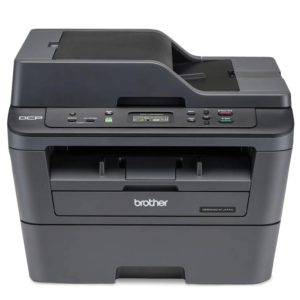
Brother 2535 Printer
0 out of 5(0)A firmly cost-effective Mono Laser printer Brother DCP-L2535D, that’s perfect for busy home and small office use. This desktop friendly printer offers professional quality printing speeds up to 34 ppm, combining print, copy, scan functionalities with duplex print option.
Key features:
- Fast print speeds of up to 34 pages per minute
- Automatic 2-sided print
- 250 sheet paper input
- Up to 1,200 page* inbox toner (* Approx. cartridge yield is declared in accordance with ISO/IEC 19752.)
- 128MB memory
- Simple to use and set up
SKU: n/a -
Brother Printer, Printer
Brother Power Professional labelling Printer(PT-E550W)
0 out of 5(0)- Brand: Brother
- Product Name: Brother Power Professional labelling Printer
- Model: PT-E550W
- LCD Screen
- Table-top
- Hand-held
- PC connectivity
- Processor: 200Mhz
- New Refill Tank System
- Country of Origin: Japan
- Print Speed: Up to 30mm/s
- Dimensions: 126x94x250 (WxHxD) mm
- Barcode Printing: CODE39, ITF 2/5, EAN13, EAN8, UPC-A, UPC-E,CODABAR,GS1-128 (UCC/EAN128),CODE128
- Warranty: 1 year
SKU: n/a -
Brother Printer, Printer
Brother PT-E110VP Handheld Electrician Label Printer
0 out of 5(0)Create labels in various colour combinations and widths that have been tested in extreme conditions to make sure they stick around for a long time. With dedicated functions and smart keys to make common labelling tasks quick and easy, and everything supplied in a hard carry case. The PT-E110VP is an invaluable tool for electricians and other professional trades.
Dedicated number keypad
Many labels consist of identifiers with a combination of letters and numbers. The dedicated numeric keypad allows quick entry of numbers with one finger.Brother PT-E110VP. Keyboard layout: QWERTY. Tape type: TZe. Print technology: Direct thermal, Maximum resolution: 180 x 180 DPI, Print speed: 20 mm/sec. Supported paper width: 3.5, 6, 9, 12 mm. Battery type: AAA, Battery technology: Alkaline. Product colour: Black, Orange
SKU: n/a -
Uncategorized, Printer
Server Networking
0 out of 5(0)Step 1
Locate a gigabit networking switch (a router or hub will also work) in a central location. Remember that each computer will need a network line ran to this location, so make sure that it is practically positioned. Plug an Ethernet network cable into an empty port on the back of the switch for each computer on the network, including the server. Run the cables to each system, making sure that they are run in a location that is out of the way of equipment and pedestrians. Plug the Internet modem’s Ethernet cable into the switch if you want to share that as well.
Step 2
Plug an Ethernet cable into the networking port located on the back of each computer, including the server. To take advantage of the gigabit speeds, each computer will need to have a gigabit-capable networking card. You can check to what kind of card a Windows-based computer has by right-clicking on “My Computer,” clicking “Properties,” then the “Hardware” tab, followed by “Device Manager.” Under “Network Adapters” the card type will be listed. If any of the computers don’t have one of these cards, one can be purchased and easily installed by the average computer user.
Step 3
Run the network configuration tool on each computer. On a Windows-based workstation, this is the Network Setup Wizard, located in the Control Panel. The configuration tool will automatically detect the network and what type of computers are on it. You will be asked questions, such as what name you want to give the network, what name each computer should have, and if you want to share files and printers in addition to an Internet connection. Once the wizard has completed, restart each computer, and the server network is complete.
SKU: n/a


There are no reviews yet.